
Use the 192.168.3.1 IP address as the default gateway for certain home routers, primarily by manufacturers, as the digital doorway to access your router’s admin panel to modify Wi-Fi passwords, manage security settings, and update network configurations.
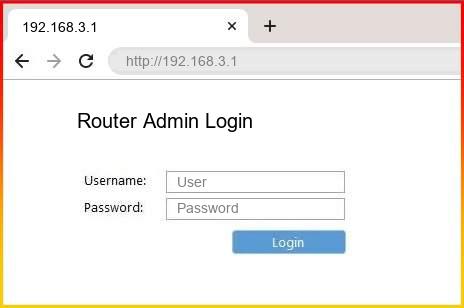
192.168.3.1 IP Address
192.168.3.1 IP address is one of the private IP addresses widely used by some routers, wireless networks, and network gateways as the default IP address for accessing the router’s settings page. It provides the possibility to connect to the settings of the device using a web browser and control various network settings.
You can access the admin panel to change the Wi-Fi name (SSID), modify the wireless password, manage connected devices, change the security settings, adjust LAN settings, create a guest network, and upgrade router firmware.
Available settings will differ from one another depending on the model and brand of the router. This IP address will only be accessible inside a private local network. This means that it cannot be used to access the device from the internet. This IP address provides a simple method for managing your network and blocking other users.
How to Log into Router Using 192.168.3.1?
- Connect your computer, smartphone, or tablet to the router using Wi-Fi or an Ethernet cable.
- Open a web browser such as Chrome, Firefox, Edge, or Safari.
- Enter http://192.168.3.1 into the browser’s address bar and press Enter.
- Wait for the router login page to load.
- Enter your router administrator username and password in the login fields.
- Click the Login or Sign In button to access the router management panel.
- After logging in, you can manage your network settings, change the Wi-Fi name (SSID), update the password. Also, you can check the connected devices, configure security options, adjust LAN settings, and update router firmware.
Note: If 192.168.3.1 does not open. Then check your device is connected to the correct network and confirm. This IP address is the default gateway for your router.
Router Manufacturers With 192.168.3.1 Gateway Address
The 192.168.3.1 gateway IP address is one of the commonly used addresses among some router providers who set it as the default IP to access the router admin page. The following are some of the router providers and devices that might have 192.168.3.1 as the default IP address:
- Huawei Routers: Some Huawei wireless routers and gateways have 192.168.3.1 as the default IP address.
- Honor Routers: Some Wi-Fi routers by Honor use 192.168.3.1 as the default IP.
- HiLink Devices: Some Huawei HiLink compatible devices use 192.168.3.1 as the local gateway IP.
- Home Wireless Routers: There are various wireless router models from other providers that have 192.168.3.1 as the default IP.
- Access Points: Some network extenders and access points also use this IP as the local address to access the admin panel.
When using 192.168.3.1, one can access many important features of the router such as changing the password, editing the name of the network, managing the connected devices, and configuring other security features. In case 192.168.3.1 does not work, one can refer to the router’s label or user manual for the right gateway address.
FAQs
Yes, you can modify your network name from the Wireless Settings menu.
No, it is a private IP address that works only within a local network and cannot be accessed directly from the internet.
Yes, you can access the router login page from a smartphone connected to the same Wi-Fi network.